 Authentic Engineering

Zazen Journal
Time your sit.
Watch your heart.
A meditation timer built for Apple Watch. Start from your wrist, see your heart rate live, and keep your sessions and weight on your iPhone.


iPhone camera
Built for quiet practice
Watch-first timer
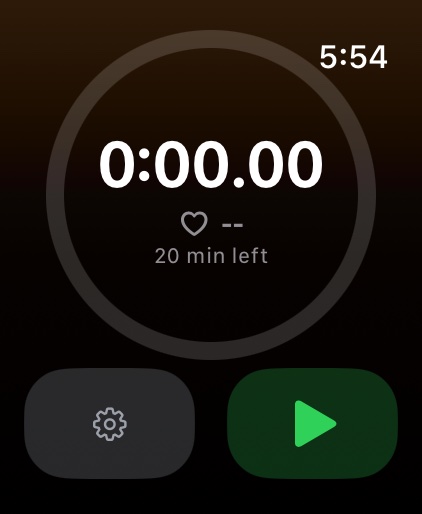
A big, readable timer with a progress ring toward your target. Runs in the background so the alert fires even with the wrist down.
Live heart rate
Average and peak heart rate for every session, straight from the watch's sensor.
Target alerts
Set a target length and the watch taps you when you reach it, so you can stop watching the clock and just sit.
Weight tracking
Log your weight after a session, in kilograms or pounds, from either device. See both units at a glance.
Simple controls
Double Tap starts, pauses and resumes. On Apple Watch Ultra, the Action button does the same.
Your data stays yours
Sessions live on your devices and sync between your own iPhone and Apple Watch. No account, no server.
Requirements
Apple Watch with watchOS 11 or later, paired with an iPhone running iOS 18 or later. Heart rate requires permission to read from Health; everything else works without it.