 Authentic Engineering

Practice Companion
Practise the songs
you play and sing.
Give it a song and it works out the chords, the lyrics, the bars and the singer's notes. Then play along: slower, in your key, with the singer or without.
Free · in your browser, on a computer, tablet or phone
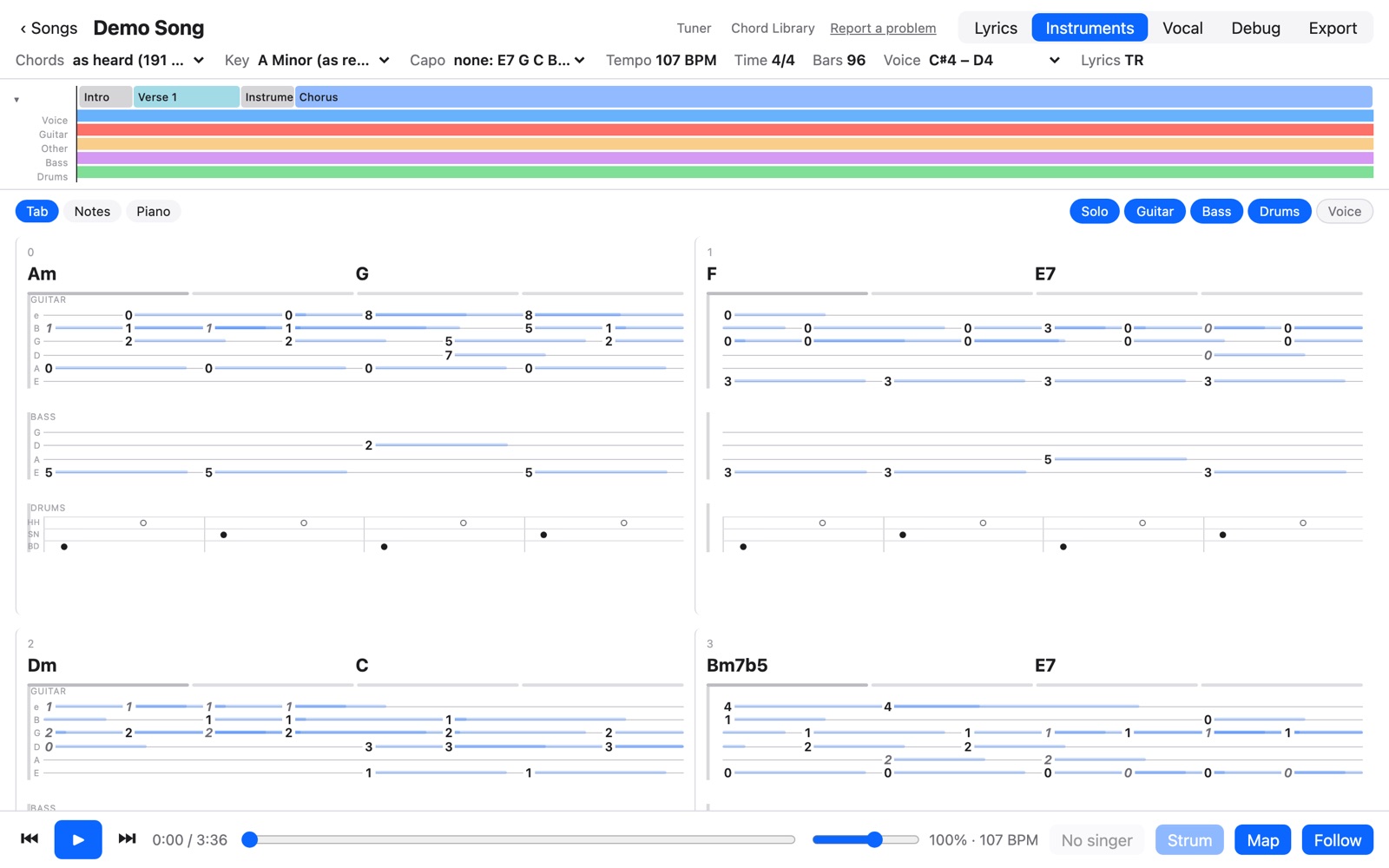
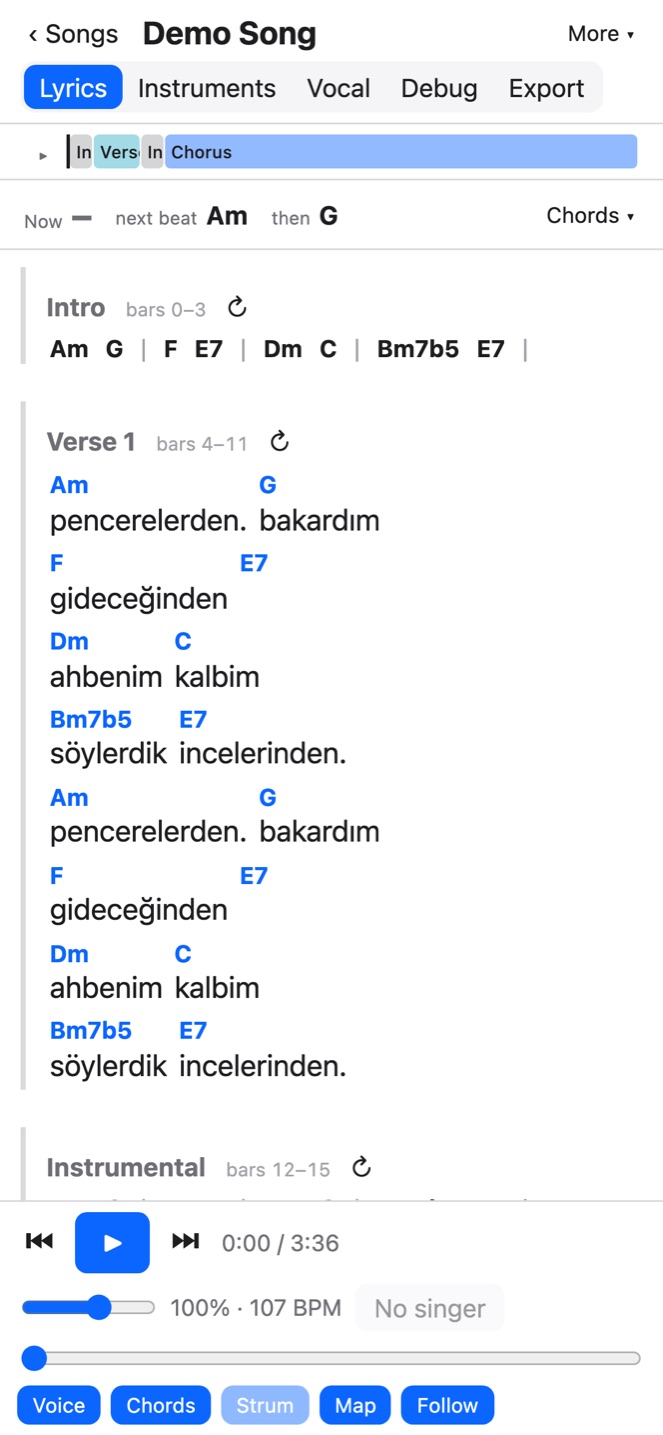
Everything you need to learn a song by playing it
Chords over the words
Each chord sits on the word it changes on, with the chord now and the next two as the song plays. Easier chords at a tap: major and minor only, or one a bar.
Your speed, your key
Slow a song down without changing its pitch, or move it up or down to a key that suits your voice. Loop a bar or a whole chorus while you get it right.
Parts on and off
The song is separated into the voice, guitar, bass, drums and the rest. Turn the singer off and take their place, or play guitar with only the band.
Guitar shapes and capo
Tap any chord to see how it's played, and step through other shapes for it. Put on a capo and every chord is shown as you'd play it there.
Sing with the singer
The singer's notes under the words, and your own pitch drawn over them as you sing along, coloured by how close you are. A tuner for the guitar, too.
On every device
Keep your sessions in your own Dropbox and open them on a tablet or phone; your corrections are saved back there. Share a song with a friend by a link.
Make sessions from your own songs
Working a song out happens on your computer, with the app installed: a song or a video file, or what plays in a Chrome tab. Paste one line and it installs everything, free. It needs a few GB the first time, for the models that hear the music.
On a Mac with Apple silicon, in Terminal:
curl -fsSL https://gcaglar.github.io/music/install.sh | shOn Windows, in PowerShell:
irm https://gcaglar.github.io/music/install.ps1 | iexRequirements
Playing and correcting sessions works in a current browser on a computer, tablet or phone; listening to a tab needs Chrome. Making sessions needs the app installed on a Mac with Apple silicon or a Windows PC. Dropbox is optional.